
What can come out of a great novel writing club? A computer game! This project was the brain child of pupils from Garnock Academy in North Ayrshire and their English Teacher, Matthew Reid. They put together the first level of an epic adventure game/RPG using content which was originally intended for their novel. The game was created using RPG Maker VX (which is available as a 30-day free trial) and involves the hero, Ben, undertaking a quest to save the kingdom from a dragon in return for the hand of the princess in marriage. Ben has to solve riddles, explore the island to retrieve objects and talk to the inhabitants to gather information.
This game is the work of Jonathan Hay of Whitburn Academy. You play as Ryan Walker, a criminal for hire for an underground organisation, called T. Greep & Co. after its founder. The game follows this character on a series of missions, in a variety of locations around the world, over the course of 3 years, incidentally 3 levels. You have to complete objectives, for example delete information from a computer server to progress to the next level. There are also obstacles, such as enemies (gang members, security officers, etc...) and puzzles to hinder your progress, but ultimately once all of the objectives are complete you can progress to the next level or complete the game
What would it take to begin to explore what an electronic circuit is with very young children? What if all you had was a piece of paper, a paintbrush, a battery and a jar of ink…not any old jar of ink but one that ‘can create custom electronic circuitry on the skin as well as any surface where water-based paints would be appropriate. Bare can be applied with a brush, stamp or spray and is easily removed with soap and water.’
At the Learning Without Frontiers Conference this week I met with the people from Bare Conductive and was introduced to this very interesting resource. Their table and layout was strange because there was no digital tech, no games , no screens – all I saw were pieces of white paper with ink drawings on them scattered on a desk. When I asked them what they were showing they told me that they had an ink that could conduct electricity. I said, “Show me.” This is what I saw:

As you can see the battery at one end of the drawing is sending a current to the bulb at the other, all via the ink on the paper!
I really was astonished at this ingenious idea and at what appears to be an apparently simple technology. Immediate ideas began to spring to mind about its potential use in schools in relation to expolring circuits, especially when using a 2p piece was used as a resistor simply by sliding it up and down the line of ink, but there must also be teachers from the CDT and Art and Design domains who could no doubt look at ways in which this material can be incorporated in to pupils work.
As yet this ink is not available to buy but we have registered an interest with the people at @bareconductive to see if we can have get our hands on this material so that we can try it in schools. Anyone interested in having a look?
Uh-oh! AnEmSha has crash landed on Earth on her way home! Can you help her gather all the parts of her spaceship from different environments around the world, avoid the dangers that lurk in the forests and oceans of the Earth and keep her energy up by eating the right sort of food? If you are up for the challenge, then this Scratch game is for you. AnEmSha is the product of three pupils from Shapinsay Primary School in Orkney.
 Last week we had the great honour of representing Scottish Education at the WISE Conference in Qatar. WISE is an initiative of Qatar Foundation for Education, Science and Community Development, under the aegis of Her Highness Sheikha Moza bint Nasser.
“WISE is based on the practical awareness that the challenges in education are no longer bound by countries’ political boundaries and, therefore, its mandate is international. WISE recognises that the challenges facing the world community have never been greater – that we need innovative solutions not achieved by traditional approaches alone. WISE asserts that the desire to innovate is, in fact, an innate human need to shape and improve our environment.”
At one of the seminars I attended I had the pleasure of listening to Marc Prensky talk about his developing thoughts about ‘Teaching Digital Natives,’ (the title of his new book). I have always found Marc Prensky a good reference point particularly back in the early 2000s when I was in the early stages of exploring the theoretical aspects of games based learning. During this period Prensky’s Digital Natives vs Digital Immigrants thesis had just come out and to me it seemed to capture a moment in time where people in education were really beginning to become aware of the mismatches between that of pupil experiences and expectations of tech at home and at school. I found that this concept gave some meaning to my own experiences and to that of very many of my colleagues working in education.
Over the years Prensky’s thesis began to be questioned. People wanted evidence to back his ideas up and I  think it is fair to say that it became more and more apparent that although young learners were more at ease with technology than many of their teachers it was not necessarily the case that they were as ‘able’ with this technology than was possibly being assumed. In my experience one of the main issues about the lack of digital skills of these so called Digital Natives aspect was their lack of ability to access, analyse and synthesise information they found on the web rather than simply copying and pasting it in to a Word document to be then handed in as their own work.
As I listened to Marc Prensky at WISE2010 I tweeted a few comments that were taken from his very short talk. These touched on some of the issues that have been associated with his work and ideas. I was particularly interested on his emphasis on what he described as ‘passion based teaching’. This was described as finding out what each child is passionate about and focusing on some way in on that. The practical application of this approach in a classroom of almost 30 learners was something I wanted to explore further with Marc and some of my tweets touched on this aspect of his talk. Later that evening Marc and I had a chat about perceptions of his talk and the danger of Twitter reducing the message in such a way that one might be misquoted or the message be ‘reduced’. Marc kindly accepted my offer of a quick interview where he could answer some of the questions that many of my colleagues like to explore when his ideas come up in discussion. The questions we discussed included:
You can hear the interview with Marc Prensky here:
Part 1:
A transcript of this discussion: Consolarium meets Marc Prensky part1
Part 2:
A transcript of this discussion: Consolarium meets Marc Prensky2
Many thanks to Marc Prensky for agreeing to be interviewed. Any comments about what he has said or about your take on the Digital Natives vs Digital Immigrants debate are most welcome.
We've just finished creating an Advent Calendar web part for Glow. The calendar will remember the windows you open, won't let you open windows in advance and has a "gift" of a new Scratch game in each window for you to play.
It’s cold out there. Really cold. And snowy.
With many of Scotland’s schools remaining closed due to bad weather, a large number of teachers, schools and authorities are trying to deliver some engaging snow related learning experiences for learners via Glow.
We have just created a short Snow Globe animation task using Scratch that can be accessed by all Glow users here. It’s also more than suitable for using with your classes in school too!
Learners with access to Glow will be able to follow the video tutorials to create the animation shown below. Click the green flag to see the animation!

MIT’s Scratch program has become a firm favourite in Primary and Secondary schools all over Scotland. It is a great tool to create a variety of interactive media resources such as games, art, simulations and stories. You are only limited by your imagination!
However, as more and more pupils are experiencing Scratch in their Primary classes or through their own curiosity at home, many secondary subjects that currently use Scratch (usually Computing departments) may be wondering how to build on these skills gained pre-secondary school.
One opportunity for extending the learning opportunities with Scratch lies with the BYOB mod of Scratch. BYOB has all the features of the regular Scratch program, but has a couple of very exciting extras. Including:
For the purpose of this post, I would like to demonstrate points 4 and 5 – the ability to pass information between 2 or more computers. Lets look at an example:
The BYOB software, used in this way, provides us with a tool for learners that immediately promotes, and indeed requires, cooperative working and discussion. Charlie and myself have been demoing this implementation with Computing teachers at CPD events over Scotland in the last month or so. We have been delighted to see the discussion and cooperative working that needs to take place in order for learners to create what is,essentially, a multiplayer networked game.
Using the technique above of hosting a mesh and reading in variable data using the sensing option, user can quite quickly create a 2 player tennis style game as illustrated below.
These videos are a little rough around the edges, but I intend to re-do them as a set of tutorial videos to be hosted within our game design Glow group. This tutorial set will take users through the steps to make the tennis game.
Please get in touch if you have already been using BYOB with your classes and share your experience with us.
It’s fair to say that the vast majority of our learners are facebook-ing, twitter-ing and youtube-ing in their own time. Many choose to share their life, thoughts, interests, likes and dislikes in this way. Wouldn’t it be great if our learners were sharing the Glow groups with each other in their own time – because they wanted to and because they could? Would it generate more interest in Glow groups and resources through the learners own social networks?
The Consolarium Operating Systems Competition Group have added the option for users of the group to ‘Share With Any’ social network. So, users of the group can post a link to the competition to their facebook / twitter accounts, bookmark them with delicious or email a link to one of their peers.
Actually, they can share the link with a huge variety of social media services. Of course, only registered Glow users can access the content.
Important Note: Ouor script at the bottom of the post includes the 2 lines
var a2a_config = a2a_config || {};
a2a_config.no_3p = 1;
These lines disable any tracking cookies.
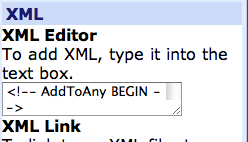 In order to set this up, we used the Add To Any share button service. Very easy to set up, and customizable via their online tool. The API is also available for you to delve further into customising.
To add this option to your Glow pages(s)…
Or, you can copy the code below and paste into an XML part for the standard share service button.
<!-- AddToAny BEGIN -->
<div>
<a href="http://www.addtoany.com/share_save">Share</a> <span></span> <a></a> <a></a> <a></a>
</div>
<script type="text/javascript"
var a2a_config = a2a_config || {};
a2a_config.no_3p = 1;
src="http://static.addtoany.com/menu/page.js"></script>
<!-- AddToAny END -->
 Unless you have been asleep for the last few weeks you will have heard that the latest development to the Microsoft xBox platform has been released. Its called Microsoft Kinect (code named Project Natal until fairly recently).
Kinect is a webcam-style add-on peripheral for the Xbox 360 console (in fact it contains three cameras!). It enables users to control and interact with their Xbox 360 without the need to touch a game controller.
 Instead your entire body is scanned and digitized in real time by the camera in the Kinect sensor, and whatever movements you make, your on-screen character can mimic. You can also control your xBox by speaking to it or holding up objects that the sensor recognizes. It is surprisingly accurate and actually quite magical.
I was lucky enough to pick up a Kinect on launch day and after a quick go in the shop I was convinced that I just had to have one. We have also now received our delivery for the Consolarium and we hope to have a few of these devices out in schools soon.
I love some of the little features that are built into game play. For example I like it that you can collect accessories for your xBox Live avatar (I have a sweat band and a baseball cap already!) and that the Kinect camera takes pictures of you at different times.
Games for Kinect are a little bit limited at the moment but the ones suitable for education include:
 Kinect Adventures (comes with Kinect)
Kinect Adventures uses full body motion to allow you to play a variety of minigames, all of which feature jump-in / jump-out multiplayer play.
Each minigame lasts about three minutes and titles include 20,000 Leaks, River Rush, Rally Ball, Reflex Ridge and Space Pop.

Kinectimals
In Kinectimals you can interact with virtual wild cat cubs after you adopt one in fur town. Once you have adopted your cub you can do a variety of things with it including teaching it tricks, guiding the animal around an obstacle course, feeding and caring for your animal.
I really can’t wait to explore this game more and I’m also interested in how it utilizes Microsoft Tag as an additional game play feature.
 Kinect Dance Central
Dance Central comes from the creators of Guitar Hero (so it was always going to be a hit with the Consolarium Team) and considering our recent efforts on Just Dance for the Wii we have all be practicing hard!
In Dance Central gameplay involves performing set dance moves which are tracked by Kinect and represented on the screen by one of eight game characters. The game features over 650 different dance moves spanning over 90 dance routines.
I love the fact that it tracks your feet and hands and not just your legs (dance mats) and hands (wii).
 Kinect Sports
Kinect Sports allows multiple players to engage in six different motion-controlled sports. The sports included are Bowling, Boxing, Track and field (Includes Hurdles, Sprint, Javelin, Discus Throw and Long Jump), Table Tennis, Football (Soccer) and Beach Volleyball.
As well as competing against a partner you can also play the game in ‘Sports Party’ mode and this allows you to rally a whole room (or class!) full of players into teams.
I’ve had an opportunity to spend a little bit of time with all of these titles now and they are great fun with loads of potential. I also think that one of the interesting things that the Kinect will do is change the location of the xBox in the home by bringing it from the bedroom into the family room. In the same way that you find Nintendo Wii’s in many people’s living rooms.
One of the reasons for this is space – you do need a lot of space to use Kinect. But the other reason is that lots of the games are really playful and will encourage inter-generation gaming and good honest family fun!
Really can’t wait to get this into a few classrooms.
Those clever people at Microsoft's Fuse Labs have released a fantastic new build of the Kodu Game Lab software which we have been using throughout Scotland. This post details these new features and shows some new screen shots of this great free software.
On 20th November 1985, Microsoft released Windows 1.0.
This year is the 25th anniversary of Windows 1.0. In the 25 years that have followed, Operating Systems have evolved. A lot. Windows 7 mobile, Mac OS X, iOS, Android and Linux are all commonly used Operating Systems today. And there are many more!
To celebrate this event, we are running a competition for you to create an InfoGraphic about operating systems. The winning InfoGraphic will turned into a poster and sent to all schools who take part.

Competition Details
Can you create an Infographic to chart the development of Operating Systems over the last 25 years? Here are some ideas….
Hold on, what’s an InfoGraphic?
An InfoGraphic is representations of information, data or knowledge. These graphics are used where complex information needs to be explained quickly and clearly. Information is conveyed by graphic elements, including charts, graphs, text, dates and images.
Some examples of infographics are shown here …


Reasons To Get Involved
Important Information!
Closing Date is 17th December 2010
At the Consolarium, we often consider how to use new technologies to help learners and teachers. We had an innovative idea to create toolbars to help users access content in Glow and elsewhere on the web such as the Consolarium YouTube Channel, LTScotland Online service and so on. The idea expanded, as you can see from the list below, andwe've create the first release of the toolbars which you can download for Internet Explorer and Mozilla Firefox web browsers.
As a result of presentation about the work of LTS’ Consolarium initiative in Strasbourg last year we were kindly invited to present a keynote talk about the place and value of game based learning in Scottish schools at a teacher technology conference in Bergen.
A few weeks back we received a call from a journalist from the Bergen Times whose interest in what was happening with the Consolarium in Scotland was sparked by his reading of the forthcoming conference’s programme. He told us that he had carried out a bit of research and would really like to see this for himself. A date was duly arranged and his flight to Aberdeen from Bergen allowed us to call on out colleagues in Aberdeenshire to showcase the GBL work that is happening in their schools.
 A programme was duly organised and the Norwegian journalist and his photographer spent a day visiting schools who were using a range of computer games in the classroom.
It appears that the game based learning approach that we employ in Scotland is new to Norway and as such it merited a real splash in the Bergen Times Weekend supplement, including a feature on the front cover! It appears that the journalist was somewhat taken aback by the power of what he witnessed in the classrooms he visited and as such he has written a very positive article about GBL in Scotland and what questions Norway can begin to ask itself about how the Consolarium’s ideas, practice and approach might begin to be developed over there.
The article is not online as yet so in the meantime please find attached .pdfs of the article:
Bergen Times Weekend Saturday Supplement main article
Page1: Photograph of kids playing Guitar Hero
There was also a piece following on from the main article that focused on asking schoolchildren from Bergen what they thought about having game based learning in school.
Page 1: Bergen schoolchildren and GBL
Page 2: Bergen schoolchildren and GBL
Finally, there was also a piece in the Sunday edition of the Bergen Times that included comments from prominent Norwegian educationalists about the work of the Consolarium in Scotland.
Bergen Times Sunday edition article
In order for you to make sense of these article we have attempted to use Google Translate so that you can make some sense of the stories featured in the Norwegian press. The translation has worked well although we do think that some meaning has been lost in translation.
There are also some errors in detail in the article that need to be highlighted and corrected:
It appears that the input that we gave at the conference has been well received and has at least started a discussion about the place of game based learning in Norwegian schools. The Bergen Times article has certainly helped!
Unity 3 is a cross platform development environment (PC or Mac) which provides users with a set of tools to create games for PC, Mac, Wii, iOS devices (such as iPodTouch, iPhone and iPad) and Google's Android Mobile operating system. It's a jack of all trades system and the core software is free for all to download and use.

At the Consolarium, we are always eager to look for new games to add to our Game Based Learning projects. In mid November 2010, Electronic Arts will release EA Create.
Create Game Info
In Create, use your creativity and imagination to unlock a world of play!
Create tracks your creativity and rewards you for it. The more you create, the more you unlock rewards and exciting challenges to play, opening a world of fun as you go.
Let your imagination run wild, as you create cool environments with easy-to-use tools, including animating objects, textures, and designs that bring your scene to life!
It’s a limitless experience of creative expression paired with exciting and even wacky challenges that have you thinking on your feet to come up with creative solutions.
EA Create seems to have more than a couple of similarities to Little Big Planet for the PS3, but with one big difference – Create will be available for Wii, Xbox, PS3, Mac and PC. With an internet connection, users on any platform will be able to upload their creations and download any other creation and remix it – regardless of what platform they are using, with the exception of the Wii.
This particular game seems to offer a number of opportunities for Game Based Learning projects and indeed may be a great tool to close the gap between game players, game based learners and game creators. A few reasons we are hopeful for this particular game include:
I was thinking that schools could use this game to engage with probelm solving and creativity. Then, set groups of pupils a challange to build a crazy contrapation like a Rube Goldberg machine, just like they can do in create – solve a simple problem by creating a complex solution. Have a look at OK Go’s video for their song ‘This To Shall Pass’ to see such a machine in operation.
A project like this could be a great way to build teamwork, cooperation, environment/recycling, not to mention inter disciplinary links. Look out for an update in the new year once we’ve had a chance to get creating ourselves!

Some great publicity for Learning and Teaching Scotland and the Consolarium in the Scottish Times Educational Supplement on the 1st October 2010.
Gillian Macdonald provides a great write up of Derek Robertson’s Games Based Learning in the Early Years presentation from the 2010 Scottish Learning Festival.
The article covers some of the work that we have been doing with the Sony Eye Pet for the PS3, Nintendogs for the Nintendo DS and some of the work that we will be starting shortly with The Land of Me.
You can read the full article on the TES website if you missed the paper copy.
 This year at the Scottish Learning Festival LTS’ Consolarium team offerings in the game based learning field are quite extensive. We have been busily working away with local authority partners over the course of the past year and have many interesting and valuable experiences and ideas to share with our delegates at SLF10.
The LTS Consolarium team are delivering three seminars and they also have a programme of events on the LTS stand. We hope that you may find the time to attend a seminar or even come along to one of our inputs at the LTS stand.
Wednesday 22nd September, 15:45-16:30
Ollie Bray will share examples of how Consolarium game based learning initiatives have been used to support the development of Numeracy and Literacy within Curriculum for Excellence. His presentation will draw on a range of examples from Primary and Secondary schools. He will also explore how applications such as Google Earth can support the cross cutting themes of CfE.
Thursday 23rd September, 10:30-11:15
Derek Robertson will share some examples of how computer games have been used to engage young learners and support their development within the context of Curriculum for Excellence. He will also show how young learners can raise to meet the demand and challenge presented to them when asked to make their own computer games.
Thursday 23rd September, 14:00-14:45
Charlie Love and Brian Clark will share the work that they have been leading on in relation to helping build the capacity within schools to help nurture and grow a culture of creation and not just consumption of digital content. They will discuss the position of games design within Curriculum for Excellence and in so doing will share their experiences in leading computer game design in Scottish schools. They will also showcase the resources available in Glow to support schools as they take this forward.
10:30-11:30 Game design using Kodu
Come along to see how the Kodu application can be used to make games that can be played on the Xbox or PC. A demonstration will be given as well as the chance for you to begin making your own game.
12:30-13:30 Just Dance/Dance on Broadway
Bring your dancing shoes and feel free to join in as the Consolarium team demonstrate just how games such as Just Dance or Dance on Broadway can make you move! Open discussion about the place of such resources in schools will also take place as well as the opportunity for you to get up on the stand with us and get down!
13:30-14:30 Wedo Lego Scratch
Come along to see how the Lego Wedo kit can be used to enhance the Scratch computer game building experience. You will see how you can build an input device (joypad) that will control the games that you make! A demonstration will be given as well as the chance for you to use this reource.
15:30-16:30 Meet the Eyepet
Come along and meet our Eyepets. You may think that something strange is afoot when you see us stroking and speaking to, what might be appear to be, an imaginary pet….it’s there, but virtually! Come and meet this amazing augmented reality creature and give some thought to how it might find a home in an early years setting near you. (Good news, you don’t need to clean its cage!)
Thursday 23rd September
10:30-11:30 UDK/Unity
The Consolarium team will give a demonstration of how freely available software such as UDK or Unity can raise the bar of expectation and demand of learners by enabling them to build 3D computer games that look and feel almost as good as those that are available commercially.
12:30-13:30 Little Big Planet
Little Big Planet is the hugely successful PS3 game has taken the game experience to a new level. Not only can you play the game but you can also build your own dynamic and complex levels that others can play. Come and see what you can build and engage with the discussion about how this might play a part in offering challenge and demand to your pupils.
14:30-15-30 Endless Ocean
Many games now offer immersive worlds that the player/learner can get lost in without any desire for high score attainment or skill development. Games such as Endless Ocean present low cost immersive worlds that a teacher can use to create the most engaging and beautiful learning experiences. Come along, dive in, splash around and see if you could make this idea float in your class!
Looking forward to seeing you there!
Here is the Secondary MarioKart Leaderboard in all it’s glory! Can you beat these times?
Check out the link below for details on how to get involved
http://ltsblogs.org.uk/consolarium/2010/04/26/mario-kart-leaderboards/
Here is the Primary MarioKart Leaderboard in all it’s glory! Can you beat these times?
Check out the link below for details on how to get involved
http://ltsblogs.org.uk/consolarium/2010/04/26/mario-kart-leaderboards/
I had a most enjoyable and very interesting day touring 4 schools in Falkirk who are all undertaking a transition project with Guitar Hero. The teacher leading this within Falkirk, Stacey Collier-West, had planned a full timetable and we set off from Maddiston Primary where she is based and travelled to see Avonbridge Primary, Whitecross Primary and Shieldhill Primary as well as stopping off back at Maddiston to see the pupils working on this topic.
The first thing that was absolutely apparent from all the schools I visited was the engagement shown from all teachers and pupils involved, but what I found more interesting was the range of approaches across the schools but all within the same context. Every teacher involved had been part of the inital planning and were in regular contact with each other but each one was very firmly focussed on what the children in their schools needed. Seeing this so clearly reinforced with me the fact that this fact should remain at the forefront of the mind of any school undertaking a GBL topic.
Have a look and a listen to some of the work we saw on our quick journey around Falkirk starting with writing in Whitecross Primary. Click on Mr Horne below to hear him chat about writing in his class.
In the video clip below we can see how the classes are building towards their concert. We can see them making stop frame animations with a simple digital camera and windows moviemaker software, which is a free part of most, if not all, winows pc s. I love seeing everyday things used in an imaginative way like this, we then have a chat with a couple of groups of children who talk about what kinds of learning they are undertaking in order to get themselves ready for the show including writing lyrics, choreography and animation. Next we meet another band getting their moves ready for the concert and chatting about how they have undertaken the work and finally we meet two of the teachers who have been running the theme in their class and hear them discuss the impact on the children.
As mentioned previously, all the schools were working toward a final showcase event where they would perform the songs they had written, show their choreographed moves and have their animations playing in the background. As you could probably see from the slideshow above all the bands had also designed their own tshirts which they then sold and each school made a cd of the tracks they had produce and offered them for sale at the concert also. Brian Clark, Ollie Bray and myself got ourselves invited to the final concert and we had a wonderful time watching as all the children performed in front of their peers, parents and friends. Every child successful, confident, responsible and effective. Watch highlights of the show below.
For a number of months I have been doing some work in and around South Lanarkshire authority, first of all with Aubrey Taylor from the Advisory Service running staff development and latterly with the support of Andrea Reid QIO in a number of primary and  nursery schools. It’s really great seeing so many forward thinking folks in education in such close proximity to each other. A good number of schools are running their own GBL topics with and really staring to get great results from their work.
In particular I enjoyed visiting Cathkin Community Nursery which , with the support of Andrea Reid, has been undertaking a topic on pets which has included input from a special pet called “Eyepet” which comes as software on the PS3. Check the video below for a wee flavour of the kinds of things he can do..
The steps shown in the video are only a small part of how the nursery went about planning and implementing a project with Eyepet, but a case study exemplification will be produced and shared over the next couple of months.
I had never seen a GBL topic wholly undertaken in the nursery setting so I was intrigued to find out how they had gone about it. Liz Mercer the Head of Nursery was delighted with the way the project worked and how well it involved the children and their families.
“We are thoroughly enjoying our eyepets. They are part of our family now and the children have taken to them so well. Each group had adopted an eyepet, where they nurture and care for him/her. Some children have also created their own eyepet using a variety of materials. They are fab and on display in the room where eyepet lives and breathes.”
Cathkin Community Nursery then took the expertise they had gained from running Eyepet as part of their project and held an open doors event where the Early Years workers shared their experience of using Eyepet and how it tied to the curriculum with colleagues from South Lanarkshire. There were also a number of other brilliant presentations on involving parents and involving children in the planning process and digital learning books. The evaluations from this event were wholly positive and it was great to see CPD opportunities like this being provided by practitioners for practitioners. Liz and the team are real advocates of CfE, and you can see from the slideshow below how that looks in practice when undertaking the Eyepet project.
You may also be interested in reading the thoughts of HMIE about this nursery. Their report was published today and all areas of their work were graded as Excellent and HMIE thought their work with Eyepet was wonderful.
“Staff provide a very well-balanced curriculum firmly based on play, active learning and enjoyment. High quality staff interaction, a stimulating environment and very well planned use of resources support children’s progress most effectively”
We currently have a number of Eyepets out on loan across Scotland at the moment, some as transition projects and some as literacy focus work and the pictures below are of some of the reactions of children watching their Eyepet hatch and some of the work that has come out of looking after their Eyepet.
As a follow on to that I attended a couple of parent workshops run by Colin Venters from South Lanarkshire’s Home School Partnership, encouraging parents to see the potential of their child’s use of gaming consoles as a positive chance for meaningful interaction between themselves and their child. Hear below what Colin and some of the parents who visited had to say about these sessions.
Last week, Charlie posted a summary of our 2 day Kodu training session with the Girvan Academy cluster schools. We had 2 teachers from the secondary school, 12 from primary schoosl and 1 from the local authority. After receiving some feedback on the event from the staff involved, I thought I’d share what we learned from what we hope will be the first of many Kodu training events.
 We decided to start the training getting the teachers to use the terrain building tools in order to familiarise themselves with the Kodu interface and the controller. Trying to stay topical, we decided to model a volcano. However, as Charlie previously mentioned, one of the key difficulties we found, was that a number of staff had never held an Xbox controller or played a 3d computer game.
As it turned out, many of the teachers involved did find the 3D world difficult to navigate/play in. Just too much movement on the screen for them to deal with. While they all agreed that this wouldn’t be an issue for pupils as they are’ 3D native’, we needed to address this. So, Charlie and I changed track slightly and decided to focus on static world games.
By setting the camera position to fixed, we took the teachers through building games based on the classics such as Frogger and Space Invaders. This technique allowed the teachers to build worlds without that initial disorientation they experienced with the camera set to free mode. This allowed the teachers to focus more on game functionality and scripting.
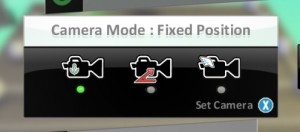
It seemed obvious to then move to the Fixed Offset camera mode where the camera angle tracks the main game character; this allowed the teachers to engage a little more on the terrain building aspect of Kodu. During this task we set about making side scrolling games in the classic Mario / Sonic style.
It should be at this point we moved to the full Free mode option and get the teachers to create fuller 3D worlds and utilise the scripting techniques they gained during the Space Invader/Mario-esque games.
As for scripting, using creatables and making paths – all of which Charlie and I thought might be too much for inexperienced teachers, turned out to be one of the most rewarding aspects of the course. With the free motion 3D issue dealt with, the attendees got stuck into the mechanics of the games they were making.
That being said, there were of course a number of teachers who were familiar with the 3D free scrolling games of the Xbox generation. Their experience in this genre of game allowed them to carry out most of the tasks with little or no difficulty and illustrated the need for strategies to deal with such a diverse set of learners such as this. One welcome suggestion was that we should have training days especially for primary school teachers and secondary school teachers (in particular secondary Computing teachers)
So, what have we learned from our initial 2 training days when dealing with non experienced gamers?
Both Charlie and I will be out to visit and support the implementation on Kodu in this cluster and continue to feedback to you here and within GLOW, with a particular focus of Curriculum for Excellence. Within GLOW we will encourage the teachers involved will contribute to discussions, lesson ideas and resources over the next few months for all of us to use.
On the whole, it was a very rewarding couple of days, and those that attended gave really useful feedback in relation to their pupils learning experiences and curriculum for excellence, as well as how we can refine this training process. I will leave you with a few of thoughts from some of the teachers that attended our course.
I would like to give Kudo a go as soon as possible, it would certainly answer the outcome of making a game, also I can see it cross curricular potential. I found the course worthwhile and it opened up my brain to a different type of learning. The kids will love it.
I’d really like to develop the use of Kodu and link it with literacy as a school project.
Kodu is a wonderful tool to use in class and pupils would be highly motivated to learn how to make games. Training days were useful to show teachers what is available and how it can be used with pupils.
I think Kodu is a great tool and well worth doing with the P7s. Whether I could call myself capable to teach it after only two days is debatable. Possibly access to a helpdesk via e-mail or some such would be good as I fear a lot of problems may crop up of which I won’t know the answers.
I did learn a great deal from the two days as well as it being inspirational. I would also like to thank the presenters for their patience and hard work. They made it fun to learn. I will definitely use Kodu in Dailly Primary
 |
| Kodu Game Lab |
Brian Clark and I have just returned from two days of training Primary and Secondary teachers in Ayrshire in the use of this software. The Consolarium training was also supported by Andrew Sithers, Academic Evangelist for Microsoft and the lead person for Kodu Game Lab in the UK.
This training is stage one in the first UK pilot of Kodu in the classroom. Our pilot is aimed at the transition between P7 and S1. Learners will gain an experience of Kodu in the primary and then transfer these skills to their first year in secondary. The rich collection of tools in Kodu will empower learners to create any world, play any game style and tell any story.
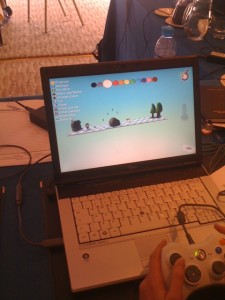
You can try Kodu yourself by downloading it from http://fuse.microsoft.com/kodu.html (click the Try Kodu Now button).
As you probably know the Consolarium team was invited to the Games Based Learning 10 conference in London at the end of March. We presented on aspects of our work and if you click on you can follow the links to the videos of our presentations. ( Derek Robertson, Ollie Bray, Brian Clark and Brian McLaren)
During my own presentation there was a bit of a technical hiccup which prevented a couple of the embedded films, produced by teachers Mr Simpson (@familysimpson on Twitter) from Inverurie Academy and Mr Tait (@scotsnick on Twitter) from Grangemouth High, from working properly so I have embedded them here.
PS don’t forget to send in your MarioKart Times!!

