Log on:
Powered by Elgg

Thaleia Deniozou :: Blog

October 22, 2011

I believe that in future students when they first join a good educational institution should be given access to an e-mail address or equivalent, individual blog and a resources space which they can use for life. It will support them while a student, and later in their professional lives and into retirement.  It will allow for alumni and continuing educational engagement. But it will be primarily centred on being a service and benefit to the individual, not as a marketing mechanism for the hosting institution. It must be secure and not allowed to be sold to some external hosting company for data mining. It must use open standards and allow for ease of movement across to a new institution in whole or in part.  It should allow the user to create and store assets they can use via a single stable URL or URI for life... images, documents, assignments, artifacts or various kinds. And reliably embed them in

The current mode of using proprietary products that lack standards, and are poor at import and export, militates against this.

Keywords: IDEL11

Posted by Austin Tate | 0 comment(s)

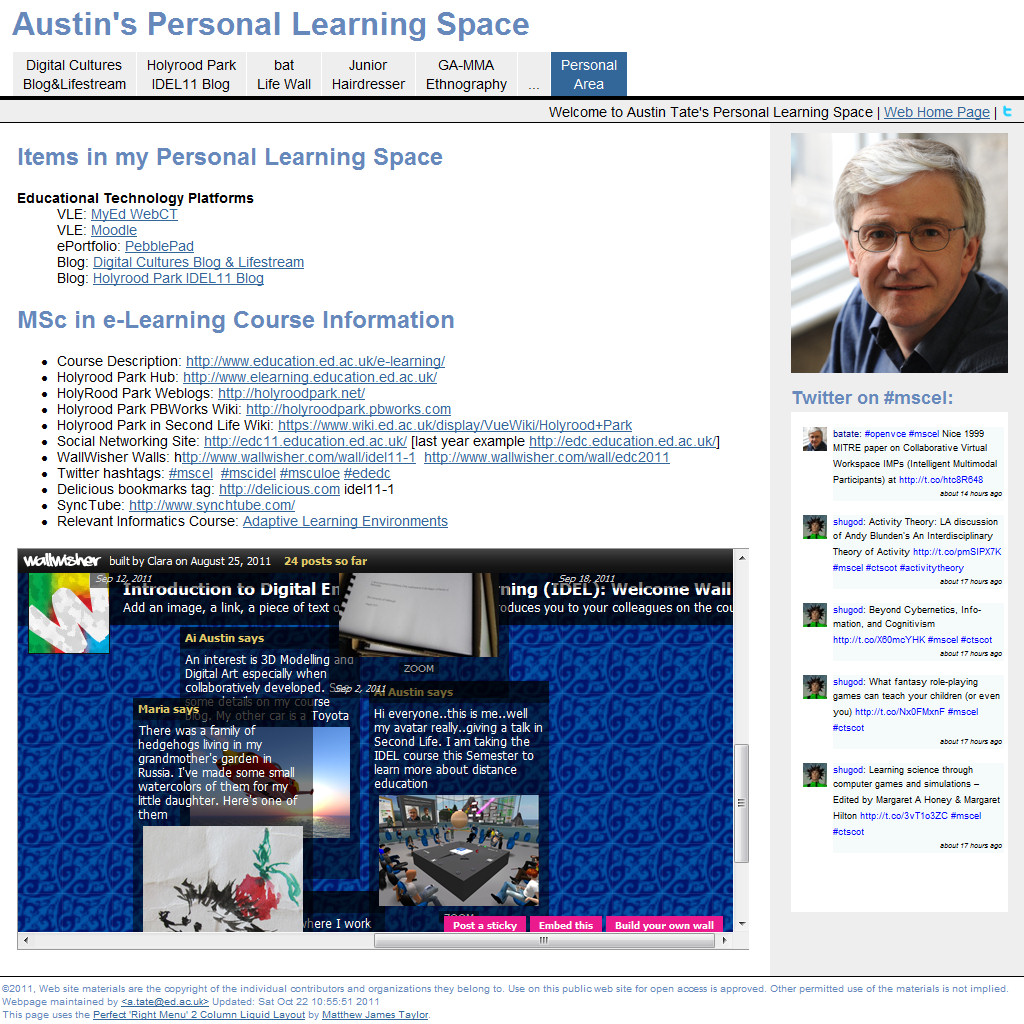
I have begun to create my Personal Learning Space... for which I prefer a flexible web site in an area that can outlive specific technologies and institutional changes. If I invest time in creating things like this I want to feel they can be preserved for use in future. Using proprietary products frustrates me as I know they will be lost or become unavailable sooner rather than later usually. The space uses a new (to me) flexible width flowing layout in CSS that should be useful in future projects. I have been meaning to try such a layout for a while, and this was the perfect excuse. It should work on most browsers and mobile platforms.  Tests to date are positive in that respect. The site uses my usually folder structure to keep things neat, with all style elements in one directory (inc), images in another (img), further resources (res), and a password protected area for items that cannot be made public, but which I want to gather into  the space for convenience. The site also uses, as is normal for my projects, relative URLs throughout so it can be rehosted easily, parts reused in other projects, or the whole site cut to a DVD/CD for archive.

For now the Personal Learning Space just gives quick access tabs to work already done on the MSc in e-Learning, a few blocks of embedded Twitter and the WallWisher for the IDEL11 course, and some useful links for the courses I am on which I previously had scattered across http://openvce.net/mscel and in desktop shortcuts across a number of desktops, a laptop and several mobile devices. The initial space is at http://atate.org/space/.

Keywords: IDEL11

Posted by Austin Tate | 0 comment(s)

October 21, 2011

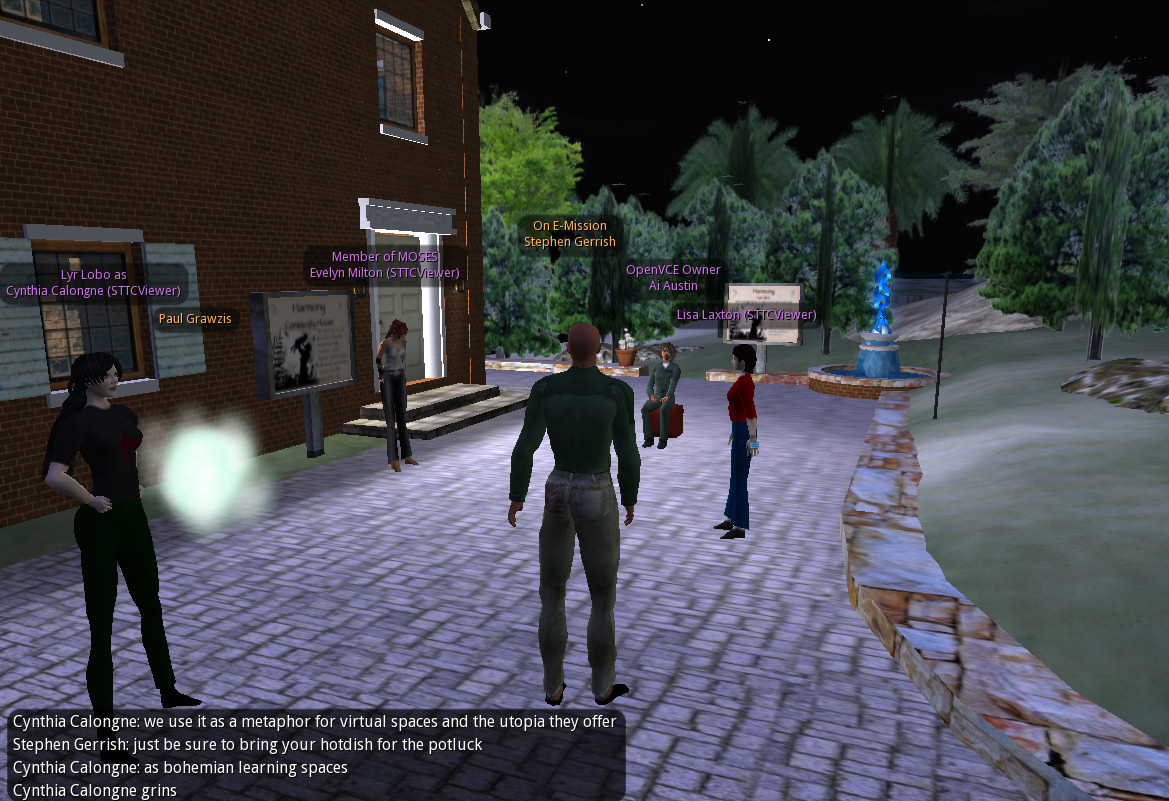
MOSES: Military Open Simulator Enterprise Strategy ( http://openvce.net/moses ) - is an OpenSim grid used for research purposes by educators and a range of organisation exploring simulation technology for training.  I am owner of a region on the grid for Open Virtual Collaboration Environment work with the US Army, and am a member of the Board of Directors who guide the development of MOSES.

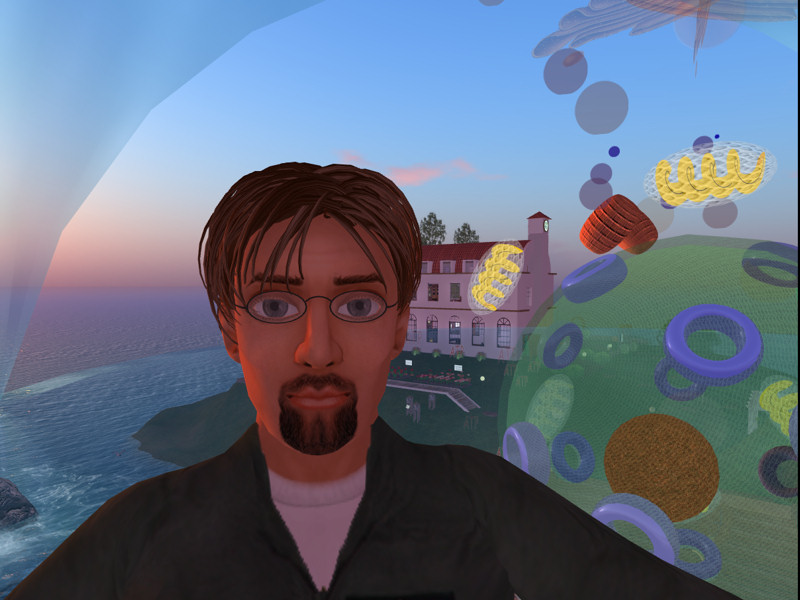
The image is of one of the Office Hours meetings between estate owners...

Keywords: IDEL11

Posted by Austin Tate | 0 comment(s)

I like to create a web page when I start a new project... to add in the useful web links, pointers to information, notes, etc.  Then I gradually structure that as more content is created.  Most recently I have been doing that in the Drupal content management system on http://openvce.net which provides convenient additional facilities such as column layout, blocks in to which content can be placed, mash-up capabilities right down to adding custom HTML and PHP code, and ancillary blogging, image handling, etc.

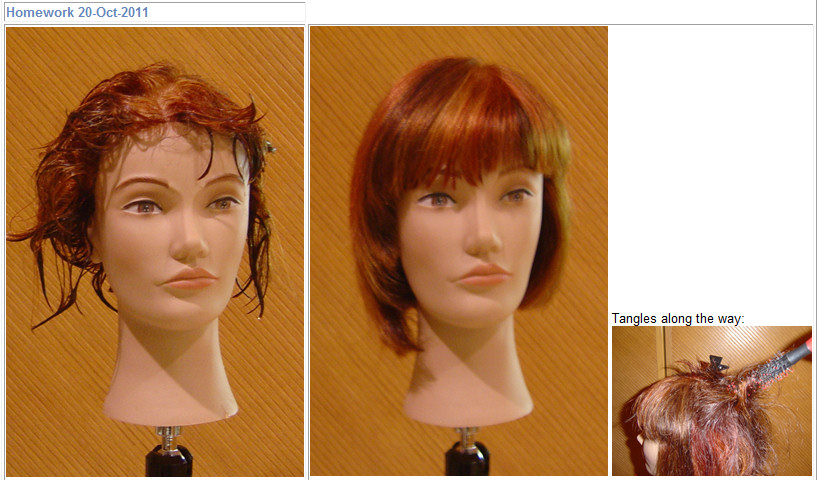
But for the MSc activities I chose to do some of this in my own web area at http://atate.org which initially just had my work on the "bat Life Wall" and where I wanted to collect together assets that would be long lived.  I have more recently added extra areas there for my course blogs and Lifestream, my Junior Hairdressing experience for the ULOE11 module, and the virtual ethnography study for the Digital Cultures EDEDC11 module. There is also a password protected personal work area.

For work in week 6 of the IDEL11 course we will be exploring personal learning spaces and mash-ups, and so I have tried to look to do something new... something I have been meaning to explore for a while.  I wanted to use a much more flexible layout that is cleaner, and adapts to the width of anyone's viewer. And into which I can drop elements without causing problems of rendering in the wide range of browsers.

I am experimenting at http://atate.org/space/ which such a personal working space. It is based on a freely available and nice simple CSS style sheet from http://matthewjamestaylor.com/. I have customised it somewhat for my sans serif font preference and colour choices.   I added initial content that I had been collecting at http://openvce,.net./mscel and put in quick access tabs for my current MSc work and blogs.

Keywords: IDEL11

Posted by Austin Tate | 0 comment(s)


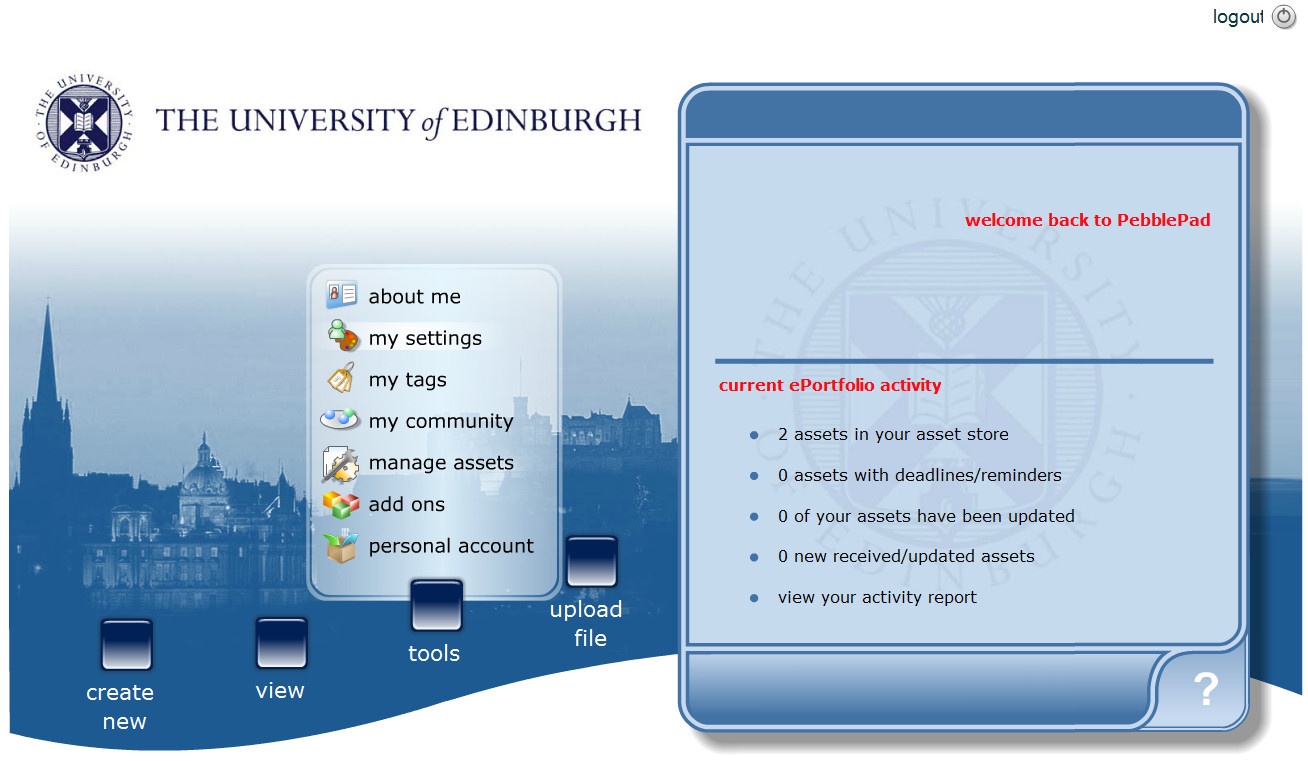
The PebblePad ePortfolio system is used to support personal learning spaces in the University of Edinburgh

If on EASE, you can log in via http://www.pebblepad.co.uk/edinburgh/pebblepad.aspx or launch from a button on MyEd with EASE login as student (MyEd - under Studies tab) or staff (MyEd - under Teaching tab).

My first experience indicated that creation of a trivial note with a few pasted web links was a very time consuming process, far beyond its value... and the resulting links note was poorly accessible with many steps to retrieve it or edit it.  The system seems designed for a very small number of assets rather than many tyhousands of assets in complex structures that would be needed in a serious personal learning environment for the future.

Keywords: IDEL11, PebblePad, PLE

Posted by Austin Tate | 1 comment(s)

I am reading some papers by Don Norman, and one on "Distributed Cognition" (Norman, 1993) makes some very nice points about the value of large situation rooms and operations centres for providing a joint view of the current situation and actions being taken in complex environments such as power station control rooms and emergency response centres.  I have been in such centres for real and training situations, for natural disaster response in Tokyo, for a nuclear power station in the UK and for search and rescue coordination in the UK and the USA.  They are all set up to allow for people to gather round or have a view of screens and see information in a shared environment.. the operators and responders are not all looking at their own screen separately... though of course they do that to use specialised tools, information and communications which they bring to the shared space.

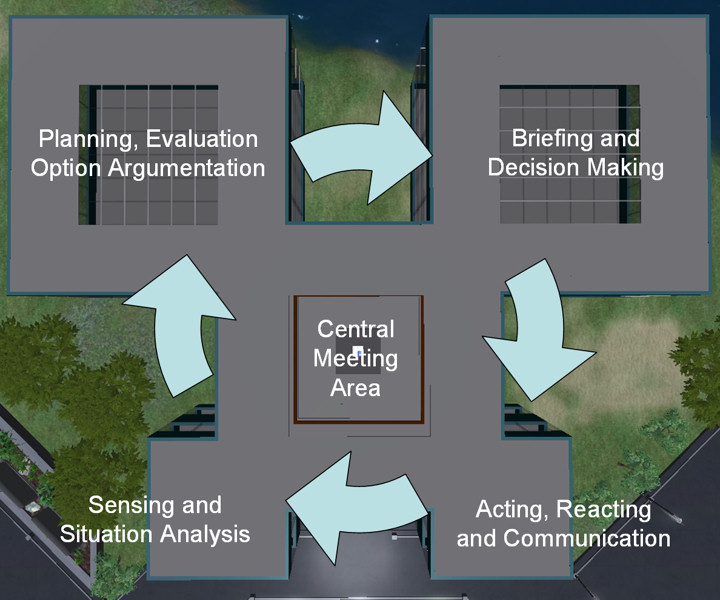
In our work we have sought to replicate this sort of shared situation space, as a basis for human centric decision support.  When we started to embody our technology in virtual worlds we wanted to replicate some of the benefits of this, and indeed provide a shared space for distributed participants, as is often the need in complex multinational emergencies.  We are sometimes asked why we want to replicate rooms with walls when we are in virtual worlds, and I respond that we want the wall space for displays and distinct functional areas that everyone can remember and use.

In our I-Rooms (http://openvce.net/iroom) we have a shared central space in which participants gather and communicate, and from which viewpoint they can direct their attention to any of four functional areas set in a cyclic pattern to allow for situation assessment, option exploration, briefing and external communications.  It supports the OODA Loop (http://en.wikipedia.org/wiki/OODA_loop) as an underlying approach and lets us place human and intelligent systems support into a meaningful whole which all the participants can involve themselves in as appropriate.

Reference: Norman (1993) Things that make us smart : defending human attributes in the age of the machine . Reading, Mass., Addison-Wesley Pub. Co. Chapter 6; Distributed Cognition (139 – 154).

Keywords: IDEL11, ULOE11

Posted by Austin Tate | 0 comment(s)

October 20, 2011

Keywords: IDEL11

Posted by Austin Tate | 0 comment(s)

Keywords: IDEL11, ULOE11

Posted by Austin Tate | 0 comment(s)

Discussion on avatar identity and "personhood" using papers by Tom Boellstorff and James Paul Gee as a basis...  in the Cloud Space discussion area over Holyrood Park in the Vue South region in Second Life.

Keywords: IDEL11

Posted by Austin Tate | 0 comment(s)

October 19, 2011

Reading Boellstorff (2008) and his stories of virtual world encounters.... I have some related observations. This may get a bit deep and multi-layered.. I like layers of storytelling and meaning :-)

Some of you may (or may not) have noticed that my avatar changed appearance during the Second Life building tutorial this week. My normal bearded avatar and flight suit outfit (there is a whole history behind that too) .. changed to be a little red round ball. Why?

When "I" (Austin) am "he" (Ai) he normally shows attention and is responsive to what is happening around. I do not like "busy" and "afk" indicators and prefer to log out - or go elsewhere in world. I am not happy to leave my avatar unattended and feel it would be rude to do so... though I have no problem with others adopting that style of use of virtual worlds.

For a few years I used some text only and mobile device or low bandwidth non-graphical clients like Radegast and iPad's Pocket Metaverse. I was always unhappy that I had no idea what my avatar would look like, how it would be positioned, that it might face wrongly to those I interacted with, and it was difficult to make the avatar appear such that it was clear I was on a text chat/IM only client.

So I put some effort into designing an avatar that reflected this state of affairs. This was a Personal Satellite Assistant (PSA)... a real device NASA is working on for the Space Station that uses AI technology. It acts as an assistant to relay messages, give instructions and help, and record via camera things going on in experiments in the Space Station. It hovers near astronauts to help them, or can be sent to perform tasks. It has a screen on its front to show astronauts images, video, messages, etc. I have explicit permission from NASA Ames Research Lab to use the image of the skin of this device in my work and in virtual worlds .


I have used a sphere with this PSA skin for a number of AI driven and autonomous devices in Second Life for several years. Enter any I-Room (http://openvce.net/iroom) and there will usually be one at the entrance to act as a greeter or sensor sending back visitor and status information to our intelligent system over the web.

So I created the Ai PSA Avatar with the PSA shape, size and skin, and showed on the screen a portrait image of "Ai" to show its him that is watching as if over a video teleconference link - i.e. not immersive and "in world" fully.

Even though not on a low bandwidth or text client at the SL building tutorial, my attention was elsewhere. In fact my camera was not even in the same region as the tutorial space. I was looking at an object in a distant region that had the properties I wanted to copy to replicate a complex object I did not know how to build. But I did not feel comfortable just leaving "Ai" unattended... and did not want to fly away to get the information. I have the same issue when I am looking at web pages, or using other applications alongside the Second Life viewer. This was a case when it felt exactly right to use the Ai PSA avatar.

I see this as "Ai" looking through the "PSA" robot floating in the meeting space... "I" am behind "Ai" but its "Ai" that is disconnected from the meeting space.

Boellstorff, T. (2008). Personhood. In Coming of Age in Second Life (pp. 118-150). Oxford: Princeton University Press.

[First posted on IDEL11 Discussion Forum, 19-Oct-2011]

Keywords: IDEL11

Posted by Austin Tate | 1 comment(s)

<< Back Next >>